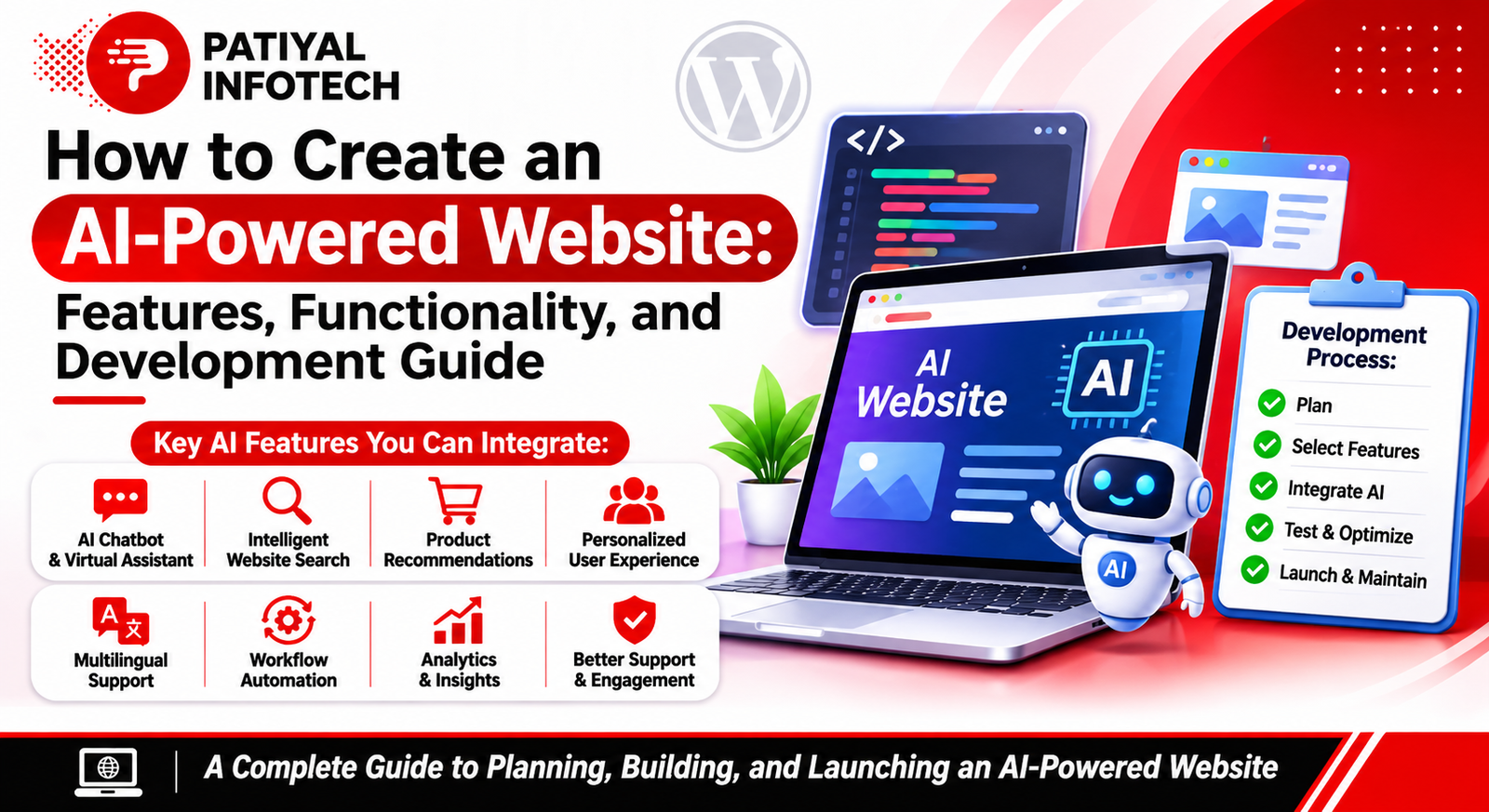
Modern websites are becoming more than online platforms that display business information. Businesses now want websites that can interact with visitors, understand their requirements, provide useful suggestions, and make online experiences more convenient.
AI-powered website functionality makes this possible by introducing intelligent features into traditional websites. Instead of simply displaying the same information to every visitor, an AI-powered website can provide automated assistance, personalized recommendations, smart search results, and faster customer support.
For example, an online store can recommend products based on customer interests, while a service-based business can use an AI chatbot to answer enquiries and guide visitors towards the right service.
Creating an AI-powered website is not only about adding a chatbot. It involves selecting suitable AI features, connecting them with website functionality, organizing data, and ensuring that everything works correctly.
In this guide, we will explore how businesses can create AI-powered websites, which features can be integrated, how these features work, and what developers should consider during implementation.
1. What Is an AI-Powered Website?
An AI-powered website is a website that uses artificial intelligence technologies to provide intelligent functionality and improve interactions with visitors.
These websites can use AI services to understand questions, analyze information, generate responses, recommend products, and automate selected activities.
Unlike a traditional website that mainly provides predefined information, an AI-powered website can respond to certain user actions and requirements.
For example:
- A visitor asks a question through an AI chatbot and receives an automated response.
- An online store recommends products based on browsing activity.
- A website search system understands natural-language questions.
- A business website collects enquiries and helps visitors identify relevant services.
- A multilingual website uses AI-assisted translation to support different audiences.
The exact functionality depends on the AI services, website platform, integrations, and business requirements.
2. Planning an AI-Powered Website
Before adding AI functionality, businesses should identify what they want their website to achieve.
Not every website requires the same AI features. A business website, online store, educational platform, and customer support portal may have completely different requirements.
Start by understanding the purpose of the website and the problems that AI should help solve.
Important planning activities include:
Identify Website Goals: Decide whether the website should generate leads, sell products, provide information, or support customers.
Understand Visitor Requirements: Identify the questions visitors commonly ask and the difficulties they experience while using the website.
Select Suitable AI Features: Choose features that solve actual problems rather than adding unnecessary technology.
Plan Data Requirements: Determine what information the AI system needs, such as product details, service information, FAQs, or support documentation.
Choose the Integration Method: Decide whether AI functionality will be added through a plugin, an external API, or custom development.
Proper planning helps businesses create useful AI-powered experiences without making the website unnecessarily complicated.
3. Essential Features of an AI-Powered Website
Different AI features can be integrated depending on the type of website and its audience.
A. AI Chatbot for Website Visitors
An AI chatbot allows visitors to interact with a website through a conversation interface.
Instead of searching through multiple pages, visitors can ask questions and receive relevant answers.
For example, a visitor on a web development company’s website may ask about available services, project timelines, or website maintenance.
An AI chatbot can be designed to:
- Answer common business questions.
- Explain products and services.
- Guide visitors to relevant website pages.
- Collect basic enquiry information.
- Provide support outside business hours.
- Transfer complex questions to a human representative.
To make the chatbot useful, it should be connected to accurate business information and provide a clear option to contact a real person.
B. Intelligent Website Search
Traditional website search often depends on exact words or phrases. AI-assisted search can make the process more flexible by understanding the meaning behind a visitor’s query.
For example, a visitor searching for “affordable website for a small business” may receive relevant service pages even if those exact words are not used in the page title.
AI-powered search can help with:
- Understanding natural-language queries.
- Finding relevant website content.
- Improving product discovery.
- Handling different search phrases.
- Providing more useful search suggestions.
This feature can be particularly helpful for websites containing large amounts of information or extensive product catalogues.
C. Personalized Product Recommendations
Personalization helps websites display more relevant information to individual visitors.
An eCommerce website can use recommendation systems to suggest products based on available browsing activity, previous purchases, selected preferences, or similar products.
For example, if a visitor explores mobile phones, the website may display related accessories or products with similar features.
Personalized recommendations can support:
- Related product suggestions.
- Frequently viewed products.
- Similar item recommendations.
- Relevant content suggestions.
- Personalized shopping experiences.
Businesses should use customer information responsibly and provide appropriate privacy controls.
D. AI-Powered Lead Generation
For service-based businesses, generating enquiries is one of the main purposes of a website.
AI can help make the enquiry process more interactive by asking visitors relevant questions and collecting basic project requirements.
For example, a website development company may ask visitors about:
- Type of website required.
- Approximate project budget.
- Required website features.
- Preferred project timeline.
- Contact details.
Based on the answers, the website can organize enquiries and direct them to the appropriate team.
AI-assisted lead generation can help businesses manage incoming enquiries more efficiently, but important customer decisions should remain under human supervision.
E. Multilingual Website Assistance
Businesses serving international audiences may need websites in multiple languages.
AI-assisted language services can help translate website content and support multilingual communication.
Possible applications include:
- Translating selected website content.
- Supporting multilingual chatbot conversations.
- Providing translated product information.
- Helping visitors understand service details.
- Improving communication with international audiences.
Machine-generated translations should be reviewed carefully, particularly for legal, technical, and business-critical information.
4. How to Integrate AI Features into a Website
Adding AI functionality requires more than placing a visual element on a webpage. The feature must be connected to an appropriate service and tested properly.
A typical integration process includes the following stages.
Step 1: Select the Required AI Feature
Decide which functionality is needed, such as a chatbot, product recommendation system, smart search, or automated enquiry assistant.
Step 2: Choose an AI Service
Research suitable AI platforms or services that provide the required functionality. Compare their features, integration options, pricing, documentation, and data-handling practices.
Step 3: Connect the Website
Depending on the selected solution, developers may use a plugin, an API connection, or custom programming to connect the AI service with the website.
Step 4: Provide Relevant Information
An AI chatbot may need business FAQs, service descriptions, product details, and support documentation to generate useful responses.
Step 5: Design the User Interface
The AI feature should match the website’s existing design. Buttons, chat windows, input fields, and response areas should be easy to use on desktop and mobile devices.
Step 6: Test the Functionality
Test different questions, user actions, error conditions, and device sizes. Check whether the AI feature provides relevant responses and handles unexpected situations properly.
Step 7: Monitor and Improve
After launching the feature, review its performance, identify common issues, update information, and make improvements based on actual user feedback.
5. Building AI-Powered Features on WordPress
WordPress provides different ways to introduce AI functionality into an existing website.
Website owners can use plugins, page-builder integrations, or external AI services depending on their requirements.
Some possible WordPress implementations include:
AI Chatbot Integration: Add a conversational assistant that answers questions using approved business information.
Smart Content Assistance: Connect AI services to help visitors find relevant articles, guides, and website resources.
AI-Assisted Search: Improve content discovery through search integrations that understand more than exact keyword matches.
Automated Enquiry Support: Use AI integrations to collect and organize visitor requirements before forwarding enquiries to the business team.
Multilingual Assistance: Introduce translation services to support visitors who prefer different languages.
Before choosing a plugin, developers should review its compatibility, maintenance history, security, data practices, pricing, and impact on website performance.
Not every AI feature needs a separate plugin. In some cases, a carefully implemented external integration may be more suitable.
6. AI Integration Using APIs
For websites that require customized AI functionality, developers can connect external AI services through APIs.
An API allows different software applications to communicate with each other.
For example, a website chatbot can send a visitor’s question to an AI service through a secure backend connection. The service processes the request and returns a response that the website displays to the visitor.
A basic AI integration may involve:
- Selecting an appropriate AI provider.
- Creating and configuring API credentials.
- Developing a secure backend connection.
- Sending relevant user input.
- Processing the returned response.
- Displaying the result on the website.
- Handling errors and usage limits.
API credentials should never be exposed directly in public-facing JavaScript or webpage source code. They should be stored securely on the server side.
Developers should also consider API costs, response times, rate limits, and data privacy before launching an integration.
7. AI-Powered Websites for Different Industries
AI website functionality can be adapted to different business sectors.
A. eCommerce Websites
Online stores can use AI to improve product discovery and shopping experiences.
Useful features include product recommendations, intelligent search, automated product assistance, and customer support chatbots.
B. Education Websites
Educational platforms can use AI to help students find learning resources, answer general course questions, and navigate educational content.
C. Healthcare Websites
Healthcare websites may use carefully controlled AI assistants to provide general information, guide visitors to relevant departments, and help with basic appointment enquiries.
Sensitive health information requires strict privacy and security protections. AI should not replace qualified medical professionals.
D. Real Estate Websites
Real estate websites can use AI-assisted search and recommendations to help visitors explore properties based on location, budget, property type, and selected preferences.
E. Business Service Websites
Service-based companies can use AI chatbots and enquiry assistants to explain services, collect project requirements, and direct visitors to the correct contact channels.
The best AI implementation depends on the actual needs of the industry and the people using the website.
8. Designing a User-Friendly AI Experience
AI features should improve the website experience rather than make navigation more difficult.
A chatbot that covers important content, blocks the screen, or provides irrelevant responses can frustrate visitors.
When designing AI-powered website functionality, consider the following:
- Keep AI features easy to find and use.
- Make chatbot conversations simple and clear.
- Provide helpful suggestions when users do not know what to ask.
- Allow visitors to reach human support.
- Ensure that features work properly on mobile devices.
- Display clear messages when the AI cannot answer a question.
- Avoid collecting unnecessary personal information.
Good design and clear communication are essential for building trust in AI-powered website features.
9. Security and Privacy Considerations
AI integrations may process visitor questions, contact details, browsing information, or other business data.
For this reason, security and privacy should be considered before implementation.
Important practices include:
Protect API Credentials: Store API keys securely and avoid exposing them in public website code.
Limit Data Collection: Collect only the information required for the feature to work.
Use Secure Connections: Ensure website communication uses HTTPS.
Review Third-Party Services: Understand how external AI providers process and retain submitted information.
Validate User Input: Check and sanitize input before processing it through website systems.
Control Access: Restrict access to private business information and administrative functionality.
Provide Privacy Information: Explain relevant data collection and processing practices through appropriate privacy notices.
AI integrations should be reviewed regularly to identify security and privacy risks.
10. How to Measure the Performance of an AI-Powered Website
After implementing AI features, businesses should evaluate whether they are actually improving the website experience.
Useful performance indicators include:
- Number of chatbot interactions.
- Percentage of questions successfully answered.
- Number of enquiries generated.
- Search result engagement.
- Product recommendation interactions.
- Customer support response time.
- Visitor satisfaction and feedback.
- Website loading speed.
For example, if an AI chatbot receives many questions but rarely helps visitors reach the correct information, its knowledge content or response design may need improvement.
Performance analysis helps businesses understand which features are useful and which require changes.
11. Common Mistakes to Avoid When Adding AI to Websites
AI integration can create problems when features are added without proper planning.
Some common mistakes include:
Adding Unnecessary AI Features: Not every website needs multiple AI integrations. Choose features based on actual visitor requirements.
Using Incorrect Information: AI systems may generate inaccurate responses if their information sources are incomplete or outdated.
Ignoring Human Support: Visitors should have a way to contact a real person when an AI system cannot help.
Exposing API Keys: Publicly exposing credentials can create security and financial risks.
Ignoring Mobile Experience: AI features should be tested on different screen sizes and devices.
Collecting Excessive Data: Avoid requesting unnecessary personal information from visitors.
Not Monitoring Performance: AI features need regular reviews, updates, and testing after launch.
Avoiding these mistakes can help businesses create more reliable and useful AI-powered websites.
12. The Future of AI-Powered Websites
AI-powered website functionality is expected to become more advanced as integration technologies improve.
Websites may offer more natural conversations, better search experiences, smarter recommendations, and more connected business workflows.
Future developments may include:
- More context-aware digital assistants.
- Advanced personalized website experiences.
- Improved voice-based website interactions.
- Intelligent customer enquiry management.
- Better connections between websites and business systems.
- More automated content discovery.
- Smarter website analytics and recommendations.
However, technology alone will not make a website successful. Businesses will still need reliable information, good design, strong security, and a clear understanding of their customers.
Final Thoughts
Creating an AI-powered website involves more than installing a chatbot or adding an AI tool. It requires selecting the right functionality, connecting suitable services, organizing reliable information, and creating an experience that genuinely helps visitors.
Features such as intelligent search, personalized recommendations, automated customer support, and AI-assisted enquiry management can make websites more interactive and useful for businesses.
WordPress websites and custom-developed platforms can both support AI integrations, depending on the complexity of the required functionality.
The most effective approach is to start with a real business requirement, implement the appropriate AI feature, and continuously test and improve it. By combining intelligent technology with professional development and responsible data practices, businesses can create websites that provide better digital experiences.
Frequently Asked Questions
An AI-powered website uses artificial intelligence features such as chatbots, smart search, personalized recommendations, or automated assistance to improve website functionality and visitor interactions.
Yes. AI features can be integrated into an existing website through plugins, third-party services, APIs, or custom development, depending on the website platform and requirements.
Yes. WordPress websites can use AI plugins, page-builder integrations, and external API connections to introduce features such as chatbots, smart search, and automated assistance.
An AI chatbot usually needs relevant information about the business, products, services, or support documentation to provide accurate and useful responses.
No. Some AI features are available through ready-made plugins or platforms. Custom functionality may require API integration or additional development.
The cost depends on the website’s complexity, selected AI services, integration requirements, API usage, and ongoing maintenance. Basic integrations may be more affordable than fully customized AI systems.
They can be developed securely, but security depends on implementation. Developers should protect API credentials, validate inputs, use secure connections, and review third-party data practices.
Yes. AI chatbots, personalized recommendations, intelligent search, and automated enquiry assistance can make it easier for visitors to find information and interact with a business.
No. AI should be added when it solves a genuine business or visitor problem. A simple website may not need advanced AI functionality.
Consider the feature’s purpose, integration method, cost, security, privacy, website performance, accuracy, and the availability of human support.