
A professional website is more than just an online presence. It is an important business tool that helps companies connect with customers, showcase their services, build credibility, and generate new opportunities.
However, building a successful website requires more than selecting a design and adding content. It involves careful planning, user experience design, development, testing, and ongoing improvements.
In 2026, businesses need websites that are visually appealing, mobile-friendly, fast-loading, secure, and easy to manage. A well-organized website development process helps ensure that all these requirements are addressed before the website goes live.
In this guide, we will explain the complete website development process step by step, from the initial planning stage to website launch and maintenance.
1. Understanding the Website Development Process
The website development process is a structured approach to creating, designing, developing, and launching a website.
It includes several stages, and each stage contributes to the overall performance and functionality of the final website.
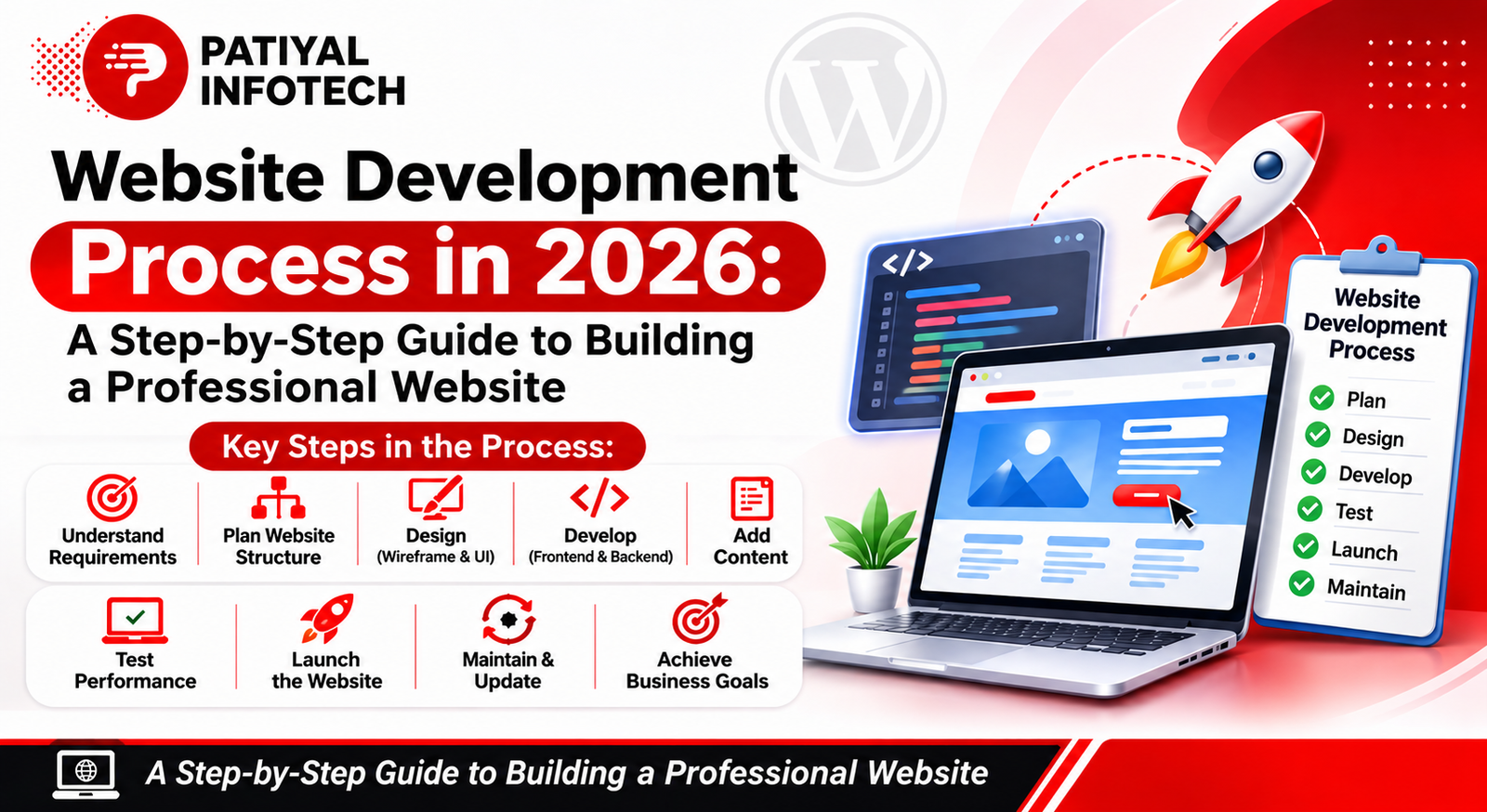
A typical website development process includes:
- Understanding business requirements
- Defining website goals
- Planning website structure
- Designing the user interface
- Developing website functionality
- Adding content and images
- Testing website performance
- Launching the website
- Maintaining and updating the website
Following these steps helps businesses avoid unnecessary delays, technical issues, and design problems.
Step One: Understand Business Requirements and Goals
The first step in website development is understanding what the business wants to achieve through its website.
Every business has different requirements. Some companies need a simple informational website, while others may require an eCommerce platform, booking system, or custom web application.
Before starting development, it is important to identify:
- What products or services does the business offer?
- Who is the target audience?
- What is the main purpose of the website?
- What features and functionalities are required?
- What actions should visitors take?
- Who will manage and update the website?
Define Clear Website Goals
Website goals should be specific and connected to business objectives.
For example:
- Generate more enquiries and leads.
- Increase online product sales.
- Improve brand awareness.
- Provide information about services.
- Allow customers to book appointments.
- Build trust with potential customers.
Clear goals help developers and designers make better decisions throughout the project.
Step Two: Plan the Website Structure
Once the requirements are clear, the next step is planning the website structure.
Website structure refers to how different pages and sections are organized. A well-planned structure helps visitors find information easily and improves overall navigation.
Common Website Pages
Depending on business requirements, a professional website may include:
- Home: Introduces the business and highlights important information.
- About Us: Explains the company background, mission, and values.
- Services: Provides details about the services offered.
- Products: Displays available products and their information.
- Blog: Shares useful articles, updates, and industry information.
- Contact Us: Provides contact details and enquiry options.
- FAQs: Answers common customer questions.
Create a Simple Navigation Structure
Navigation should be easy to understand. Visitors should be able to reach important pages without unnecessary clicks.
A clear navigation structure improves usability and makes the website easier to explore.
Step Three: Create Website Wireframes and Design
After planning the website structure, designers begin creating wireframes and visual layouts.
A wireframe is a basic outline of a webpage that shows where different elements will appear. It helps establish the page layout before the final design is created.
What Does Website Design Include?
Website design generally includes:
- Header and navigation menu
- Homepage layout
- Banner and hero sections
- Content sections
- Images and graphics
- Buttons and call-to-action elements
- Footer design
- Contact forms
Focus on User Experience (UX)
User experience plays an important role in website success.
A good website should be easy to navigate, visually organized, and designed around visitors’ needs.
Important UX considerations include:
- Simple navigation
- Readable fonts
- Consistent spacing
- Clear headings
- Visible call-to-action buttons
- Proper use of images
- Consistent branding
The design should also match the business identity, including its logo, colors, typography, and overall visual style.
Step Four: Start Website Development
Once the design is approved, the development stage begins.
This is where the approved design is converted into a working website.
Website development generally involves two major areas: frontend development and backend development.
Frontend Development
Frontend development focuses on the parts of the website visitors can see and interact with.
It includes:
- Page layouts
- Navigation menus
- Buttons and forms
- Images and visual elements
- Responsive design
- Interactive website components
Common frontend technologies include HTML, CSS, and JavaScript.
Backend Development
Backend development handles the functionality that works behind the scenes.
It may include:
- User authentication
- Database management
- Form submissions
- Website administration
- Payment processing
- API integrations
- Dynamic content management
The backend ensures that the website functions correctly and processes information securely.
WordPress Website Development
WordPress is a widely used content management system that allows businesses to create and manage websites.
It can be used for:
- Business websites
- Corporate websites
- Blogs
- Portfolio websites
- eCommerce websites
- Service-based websites
WordPress also provides themes and plugins that help add functionality without building every feature from scratch.
The right development approach depends on the website’s requirements, functionality, and future plans. Businesses can also explore different technologies before choosing a suitable platform.
Step Five: Make the Website Mobile-Friendly
A professional website must work properly across different screen sizes and devices.
Visitors may access a website through smartphones, tablets, laptops, and desktop computers. Therefore, responsive design is an essential part of modern website development.
Important Elements of Responsive Design
- Flexible website layouts
- Properly sized images
- Mobile-friendly navigation
- Readable text
- Touch-friendly buttons
- Proper spacing between elements
- Forms that work on smaller screens
Why Is Mobile-Friendly Design Important?
A responsive website provides a consistent experience across devices.
It also helps visitors access information conveniently and reduces usability problems caused by layouts that do not fit smaller screens.
Step Six: Add Website Content and Visual Elements
Content is one of the most important parts of a website.
Even a well-designed website may not achieve its purpose if the content is unclear, incomplete, or difficult to understand.
Website content should explain what the business offers and why visitors should choose it.
Important Website Content Elements
- Clear page headings
- Service descriptions
- Company information
- Product details
- Contact information
- Calls to action
- Relevant images and graphics
- Frequently asked questions
Follow Basic Content SEO Practices
While adding content, businesses should also consider search engine optimization.
Some important practices include:
- Use relevant keywords naturally.
- Write unique page titles.
- Add meaningful meta descriptions.
- Organize content with proper headings.
- Use descriptive image alt text.
- Keep information useful and easy to read.
Good content helps visitors understand the business and supports the website’s overall SEO strategy.
Step Seven: Test the Website Before Launch
Website testing is an important stage that should never be skipped.
Before launching a website, developers should check whether all pages, features, and functions are working correctly.
Website Testing Checklist
1. Functional Testing
- Check all navigation links.
- Test contact forms.
- Verify buttons and calls to action.
- Check login and registration features, if applicable.
- Test search and other interactive features.
2. Responsive Testing
- Check the website on mobile devices.
- Test tablet layouts.
- Review desktop display.
- Verify that content does not overlap or get cut off.
3. Performance Testing
- Check page loading speed.
- Optimize large images.
- Review unnecessary scripts and plugins.
- Check overall website responsiveness.
4. Browser Testing
Test the website on commonly used browsers to identify display and compatibility issues.
5. Security Testing
- Ensure the website uses HTTPS.
- Check installed plugins and themes.
- Review user permissions.
- Verify that forms and other important features work securely.
Testing helps identify problems before visitors begin using the website.
9. Step Eight: Launch the Website
Once development and testing are complete, the website can be prepared for launch.
Website launch involves making the website accessible to the public through its domain name.
Important Steps Before Launch
- Connect the domain name.
- Configure the hosting environment.
- Install an SSL certificate.
- Upload or migrate website files.
- Configure the database, if required.
- Check website links.
- Set up website backups.
- Configure analytics and tracking tools.
- Submit the sitemap to search engines.
Final Launch Verification
After the website goes live, check the homepage, important pages, contact forms, images, and navigation again.
This final review helps ensure that the live website works as expected.
10. Step Nine: Maintain and Update the Website
Website development does not end after launch.
A website needs regular maintenance to keep it secure, functional, and updated.
Ignoring maintenance can lead to outdated content, security vulnerabilities, broken links, and performance problems.
Important Website Maintenance Activities
- Update WordPress core, themes, and plugins.
- Take regular website backups.
- Monitor website security.
- Fix broken links.
- Update outdated content.
- Optimize images and media.
- Check website speed.
- Test forms and important functions.
- Monitor website analytics.
Regular maintenance helps businesses protect their online presence and provide a better experience to visitors.
11. Common Website Development Mistakes to Avoid
Even a well-planned project can face problems if important development practices are ignored.
Here are some common mistakes businesses should avoid:
1. Starting Without Proper Planning
Beginning development without understanding business requirements can result in unnecessary changes and delays.
2. Ignoring Mobile Users
A website that does not work properly on smartphones can create a poor user experience.
3. Using Too Much Visual Content
Too many animations, large images, and unnecessary design elements can affect website usability and performance.
4. Neglecting Website Security
Weak passwords, outdated plugins, and missing security updates can increase website risks.
5. Publishing Incomplete Content
Missing service information, unclear headings, and incorrect contact details can reduce visitor confidence.
6. Skipping Website Testing
Launching without proper testing can leave broken links, non-working forms, and layout issues unnoticed.
7. Ignoring Website Maintenance
A website requires regular updates and monitoring even after it becomes publicly accessible.
Avoiding these mistakes can make the development process more organized and help create a reliable website.
12. How Long Does the Website Development Process Take?
The time required to develop a website depends on its size, complexity, functionality, content, and approval process.
A simple business website may require less development time than a large eCommerce website or a custom web application.
The timeline can also be affected by:
- Number of pages
- Design requirements
- Custom functionality
- Third-party integrations
- Content availability
- Revisions and approvals
- Testing requirements
Businesses should discuss the project scope and expected timeline with their development team before starting the project.
Final Thoughts
A successful website is the result of proper planning, thoughtful design, reliable development, and regular maintenance.
Every stage of the website development process plays an important role in creating a professional online presence. From understanding business requirements to testing and launching the website, following a structured approach helps reduce mistakes and improve the final result.
In 2026, businesses should focus on building websites that are responsive, user-friendly, secure, fast, and easy to manage.
Whether you are creating a new business website or improving an existing one, choosing the right development process can help build a strong digital foundation for long-term business growth.
Frequently Asked Questions (FAQs)
The main steps include requirement gathering, website planning, wireframing, design, frontend and backend development, content creation, testing, launch, and maintenance.
The development timeline depends on the website’s size, features, design requirements, and complexity. A simple website generally takes less time than a custom or eCommerce platform.
Website planning helps define business goals, identify required features, organize pages, and establish a clear development direction.
Frontend development focuses on the visible parts of a website that visitors interact with. Backend development manages server-side functionality, databases, and website operations.
Yes. WordPress can be used to create business websites, blogs, portfolios, and eCommerce websites. Its suitability depends on the required features and project needs.
Responsive design allows a website to adjust to different screen sizes, providing a better browsing experience on smartphones, tablets, and desktops.
Before launch, businesses should test website links, forms, navigation, mobile responsiveness, loading performance, browser compatibility, and security.
Yes. Regular maintenance helps keep the website secure, updated, functional, and performing properly.
Yes. Website content, images, design elements, features, and functionality can be updated after launch according to changing business requirements.
A professional website generally has a clear design, easy navigation, useful content, responsive layouts, good performance, proper security, and clear contact information.